
Introduction
In Release 4.3 we provide the following enhancements to the Validaide application:
- Road Freight Parking Stops - Users can add Parking Stops to Road Transport steps, with documentation of the guaranteed security features of the involved parking areas.
- Involved Locations - Users can now indicate for each Lane and SOP which office is responsible for the Lane or SOP, as well as the involved export and import Location.
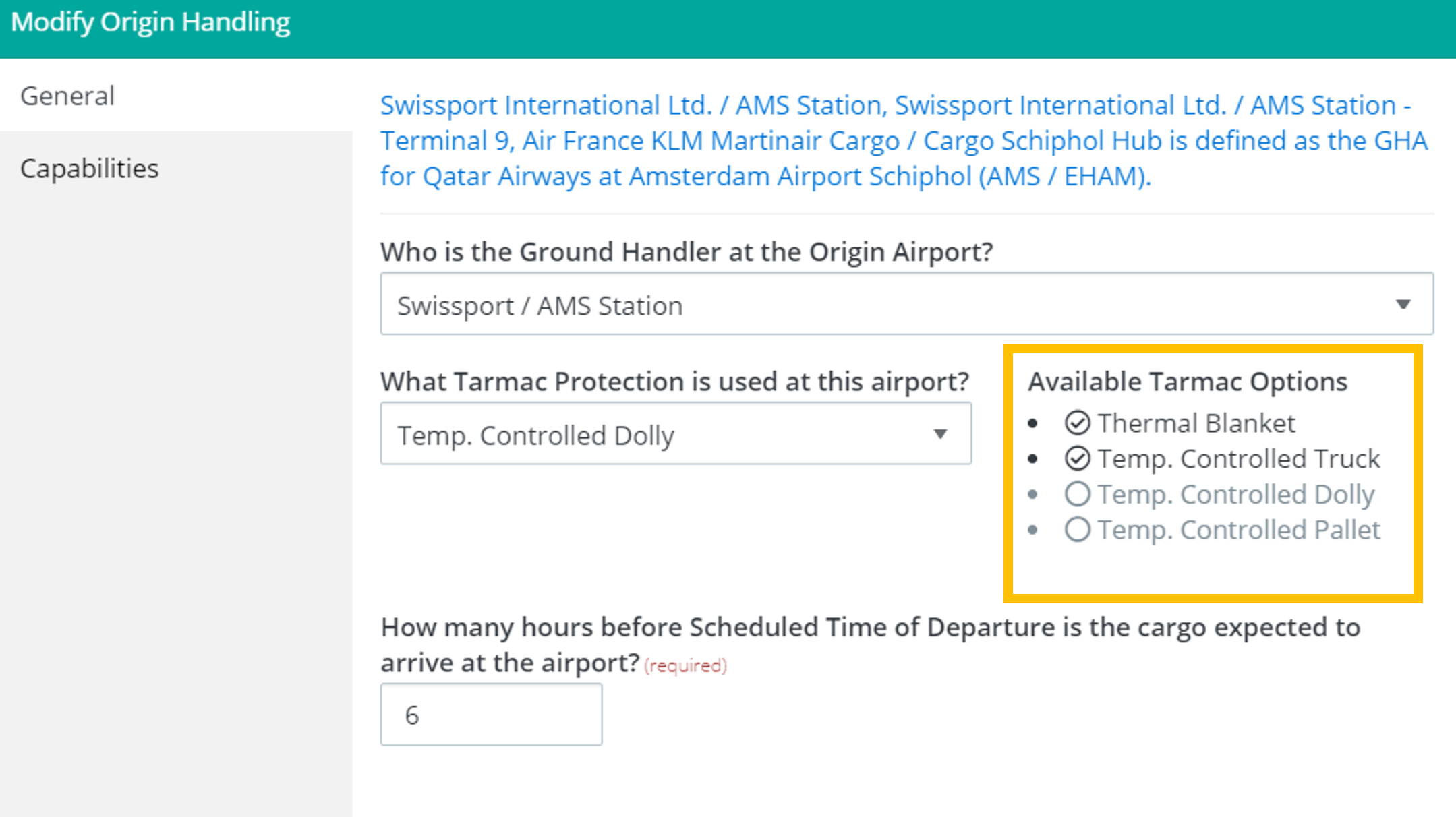
- Indication of optional tarmac protection - For GHA steps the user can define the tarmac protection, and we now better indicate the available tarmac protection options.
- Filtering on internal contributors - Users can filter Lanes on SOPs on the new internal contributor role.
- Change the order of SOP Contact Persons - It is now possible to change the order of Contact Persons within a Contact Group.
- Improved Tooltip - When a user overrule the capabilities for temperature-controlled storage in the Lane Configuration, this is now better visualized.
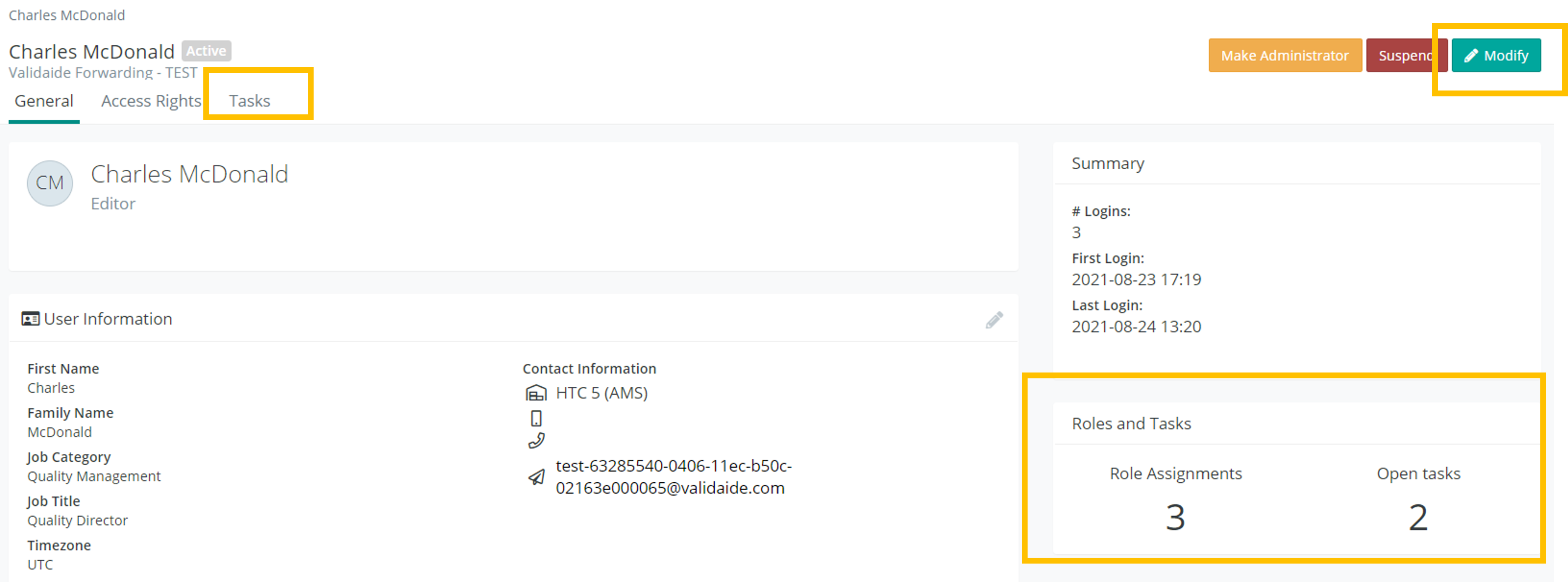
- User Management - Administrators can now easily see the open tasks of individual users and also modify their user profile.
Road Freight Parking Stops

In addition to Border Crossings and Ferry Crossings, Users can now also add Parking Stops to their Road Transport Steps. For each Parking stop the minimum available security features can be documented, such as CCTV cameras and 24/7 supervision. This will be visualized and also impact the Lane Assessment for Security Measures. The goal of this enhancement is to make the Lane Assessment for road freight becomes more valuable and realistic.
More details can be found here: Lane Configuration - Road Stops and Crossings
Involved Locations
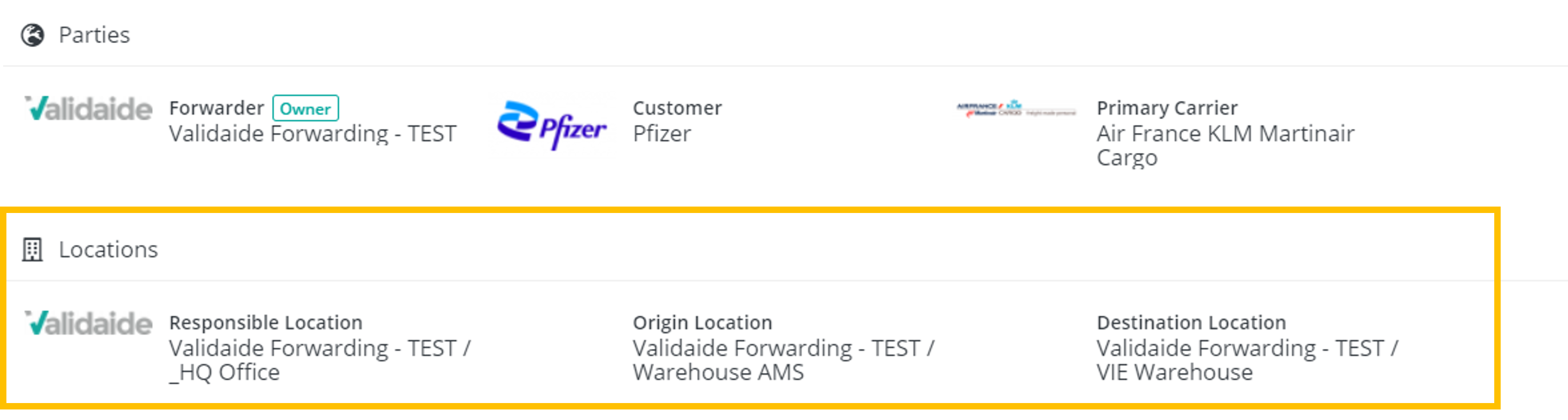
To improve the management of Lanes and SOPs within large companies, users can also document the involved Locations, such as the office that is responsible for the Lane or SOP, as well as the export and import offices. This includes the following functionality:
- When creating a new Lane or SOP, the Responsible Location is automatically set to the work location of the user that creates the Lane or SOP.
- In the Lane Configuration, these Locations can be modified in the Parties form.
- Users can filter Lanes and SOPs on these involved Locations,
- The involved Locations are also included in the Lane and SOP Excel download.
Indication of optional tarmac protection
For GHA steps the user can define the tarmac protection, and we now better indicate the available tarmac protection options. This is based on the GHA station capabilities, as defined the by the company whose view is selected by the user.
Filtering on Internal Contributors
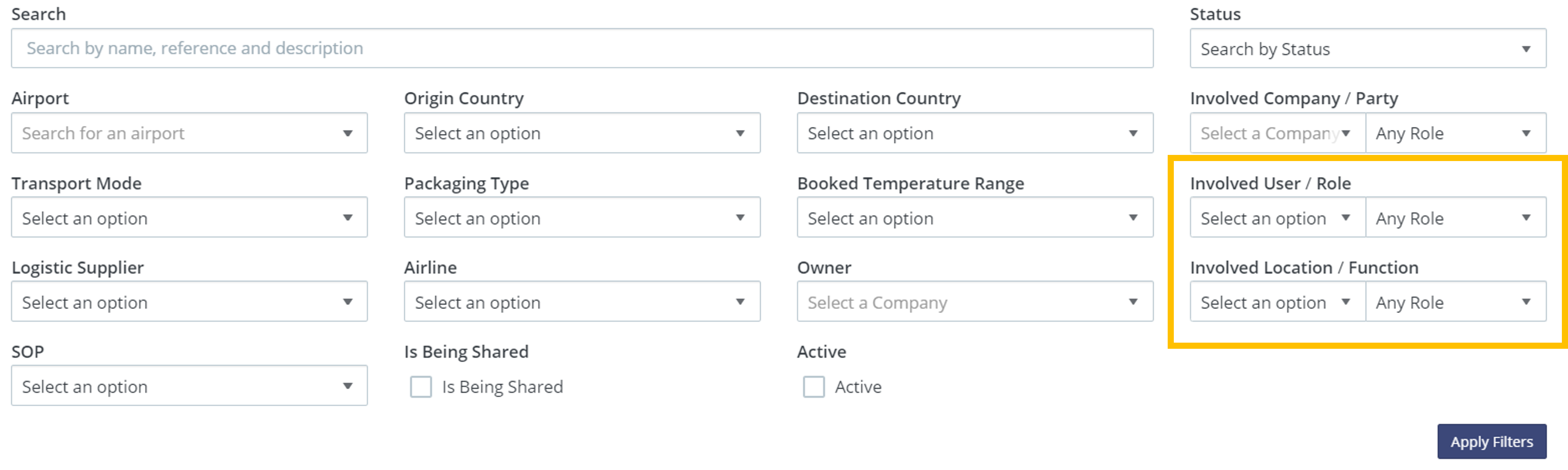
We recently added new user roles in the workflow for Lanes and SOPs for internal and external Contributors. In the Lanes and SOP Listing screen, it is now also possible to filter Lanes and SOPs on internal Contributors. In combination with the filtering on Involved Location (see above), this resulted some redesign of the Lane filter screen.
Change the order of SOP Contact Persons
Similar to changing the order of SOP Contact Groups and Process Descriptions, users can now also change the order of Contact Persons within a Contact Group.
Improved Tooltip
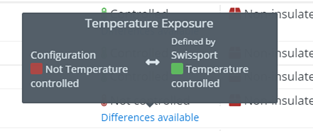
In the Lane Configuration a user can overrule the capabilities for Temperature-Controlled storage. When this is done, this is now more clearly visualized in the supporting tooltip. The tooltip now also indicates the selected company's view that is used in the Lane Configuration.
User Management
Administrators now have additional functionality to manage user accounts within their company:
- Administrators can update the user profile of each user within their company.
- The application clearly indicates the number of Role Assignment and Open Tasks for each user.
- In a new Tasks tab, the Administrator can see all open Tasks for the user.
Comments
0 comments
Please sign in to leave a comment.