
In Release 5.3.0, we introduce the following enhancements to the Validaide application:
Multi flight codes – With this new feature you can select multiple flight codes of the same air carrier in one step to reduce the number of lanes to be created. This enhancement adds more flexibility and customization options when creating an air lane. This feature can be used only in the lanes screen and not in flight search. Whenever adding a flight step and pre-pending/appending a flight step.
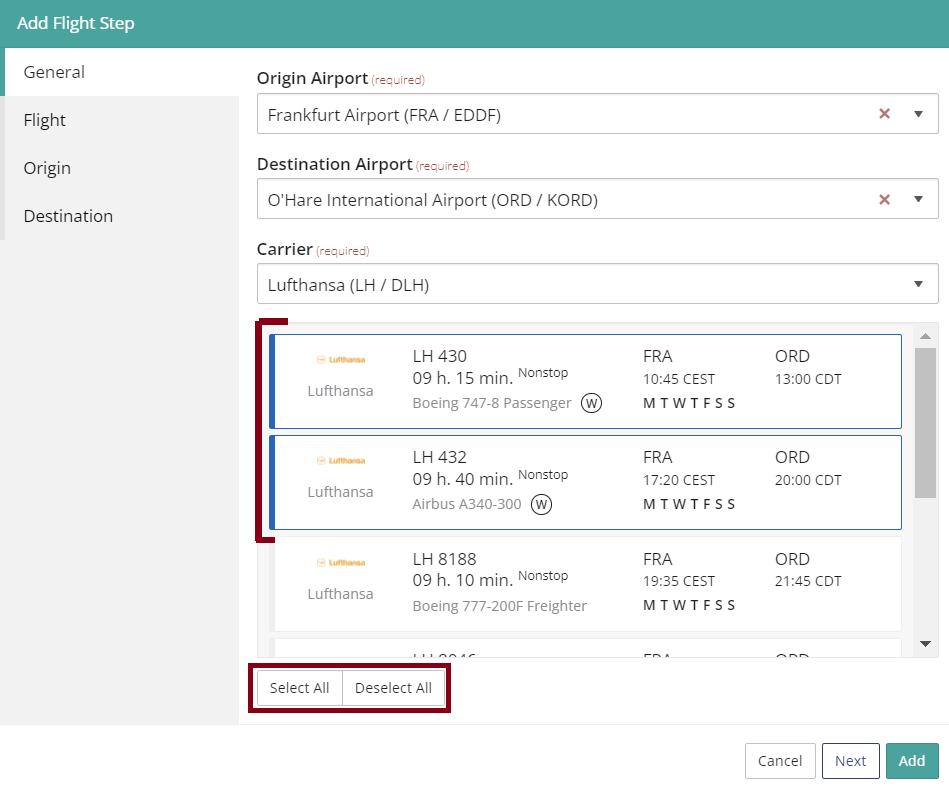
When the Origin, Destination and Carrier are filled in, the form shows possible flights. The user has to select at least one flight or multiple flight codes of the same Air carrier (passenger, freighter, RFS) with the maximum of 20 flight codes. User can select all flight codes at once by clicking on ‘Select all’ and deselect one or many flight codes or all flight codes by clicking on ‘Deselect all”.
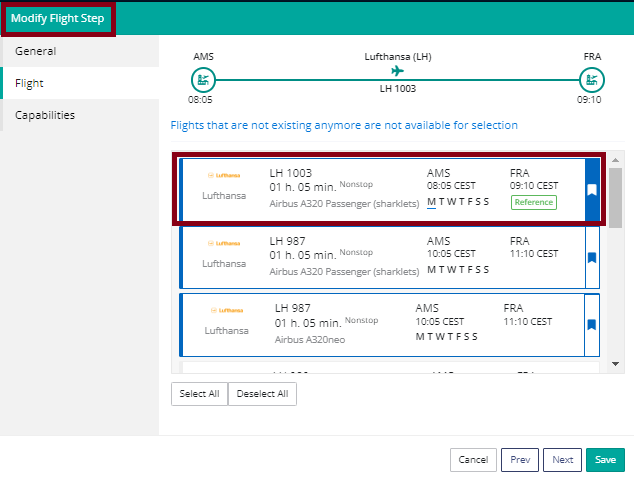
The first flight selected will be used in the lane assessment, temperature and timeplan graphs as a reference. Flight code result order is from earliest to latest.
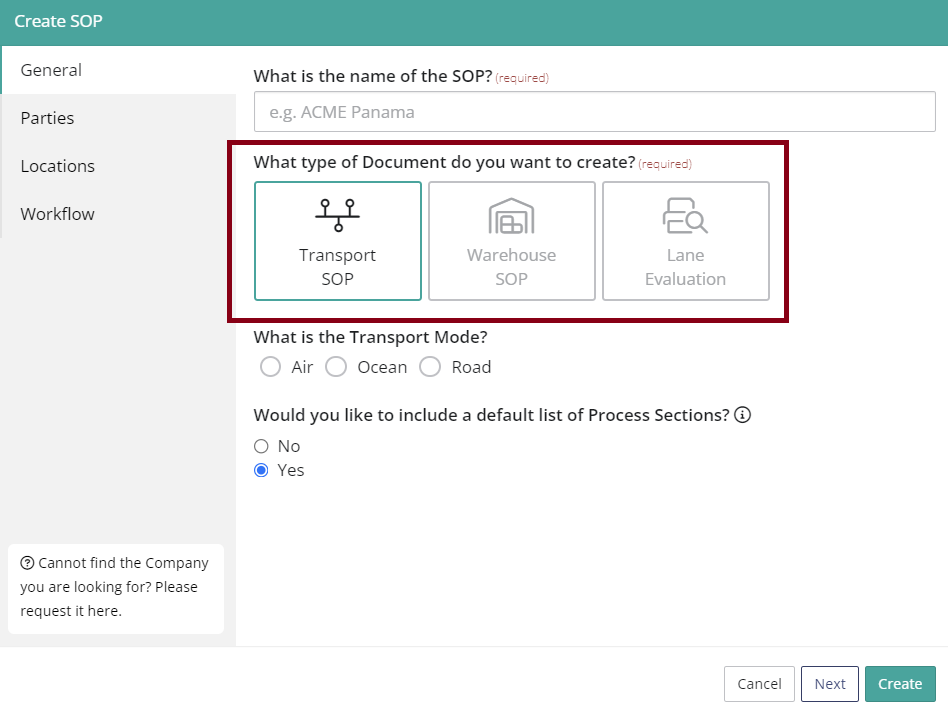
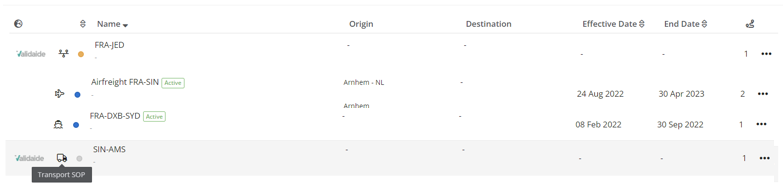
SOP types and modality - When creating an SOP, in the general tab, the user is able to indicate the document type (a mandatory field). The types are: Transport SOP , Warehouse SOP, Lane Evaluation the default type is Transport SOP.
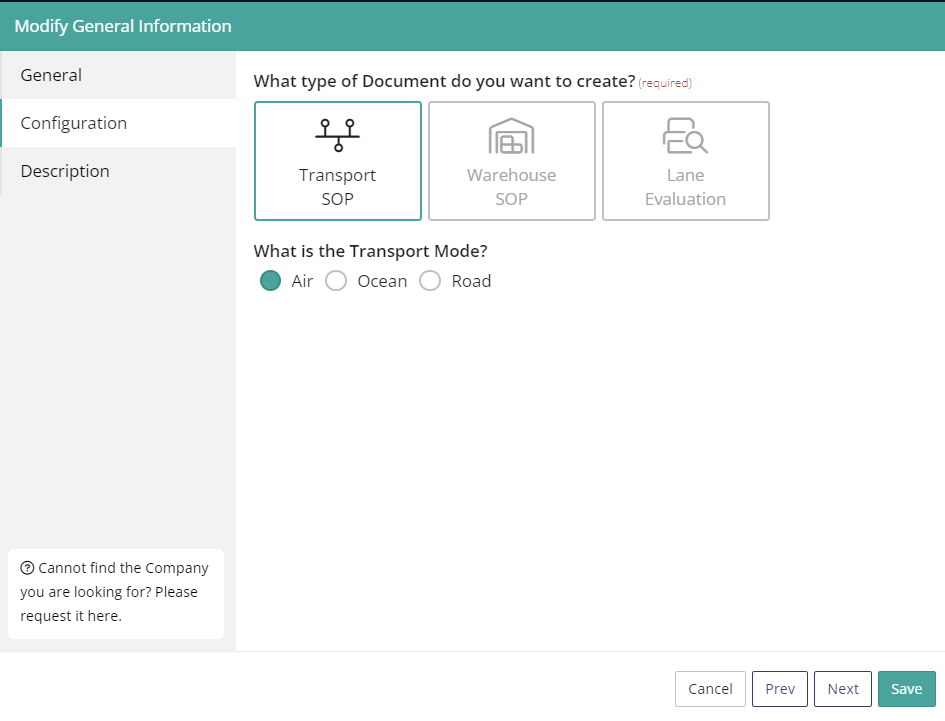
When selecting transport as a document type (during creation or modification), the user is able to indicate the modality: road, ocean or air (an optional field). It is possible to modify the SOP type of an already existing SOP in the ‘Configuration tab’ ‘General information’ panel. In the ‘Details’ panel the type and modality is clearly indicated.
Type and modality fields are shown in the SOP exports in csv and pdf formats.
In the SOP overview, if type is transport and the modality is filled in, the system displays the modality icon (ocean, air, road) instead of the transport icon. When hovering over an icon a text appears showing the type of the SOP. The user is able to filter the SOPs by type and modality.
Possibility to add Logistic Service Provider (LSP) in SOP - When adding/modifying parties in the SOP, under ‘Additional parties’, SOP owner is able to fill in a new extra field "Who is the LSP?". The user is able to share the SOP, add contributors and approvers in the user roles. This option was added for the warehouse SOPs.
Minor enhancements
Supplier/location classification is shown in the ‘Configuration tab’ of a Lane - In the Configuration tab of a lane you can now see the supplier/location classification. If a lane is being shared the information is not visible to the party the lane is shared with (only the owner of the lane can see it). This information is not visible in the pdf export as well.
In the SOP user is able to move process steps and sub process steps up and down – It is possible now to move processes and the steps within processes up and down by clicking on arrows.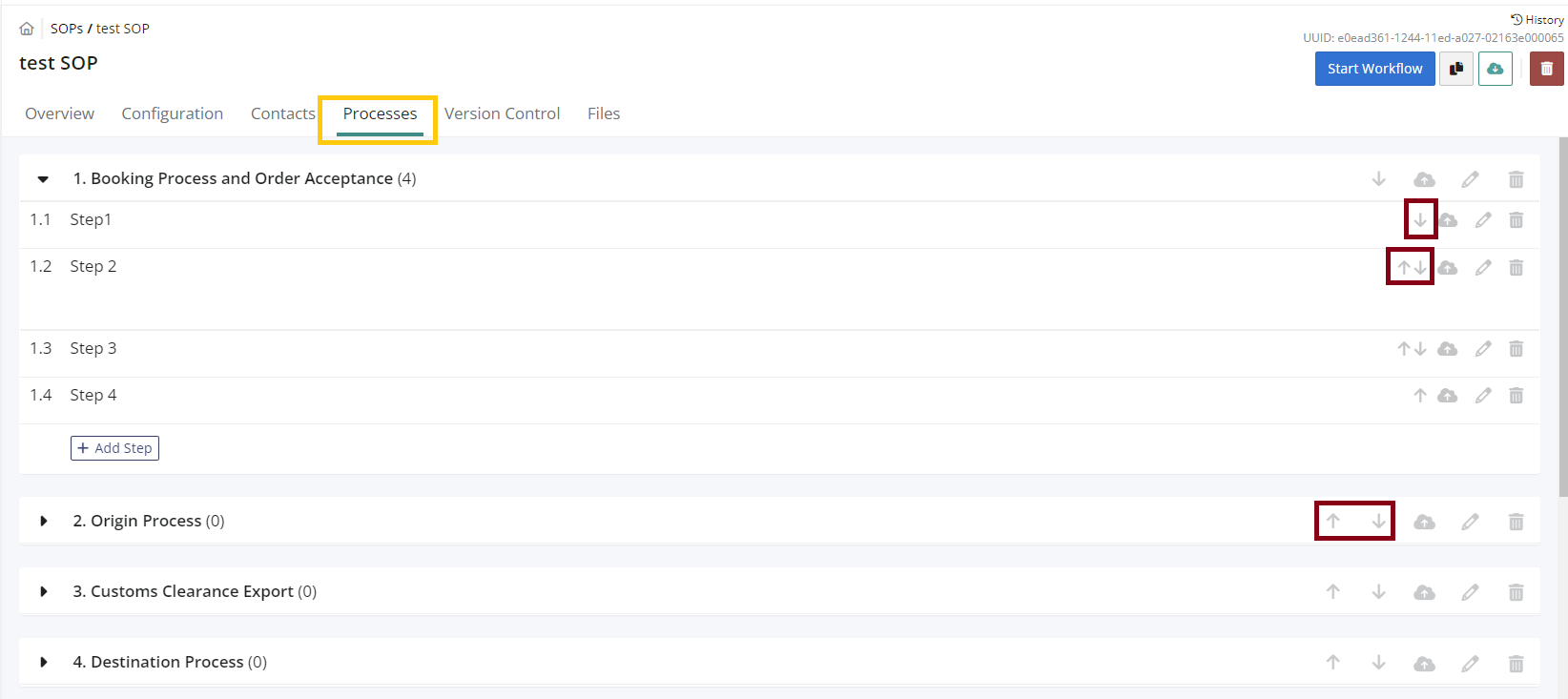
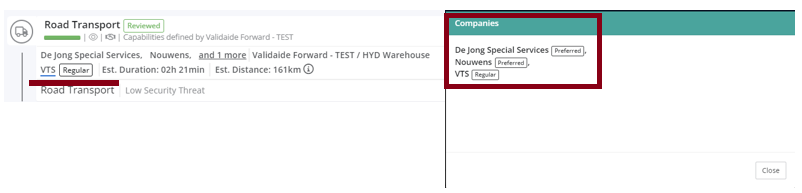
User is able to visualize the classification in the multiple road supplier and location panel - When
opening the panel in the configuration and timeplan, for multiple road suppliers and locations, the user is able to visualize the classification after the name. If the user has selected more than 2 supplier/ 2 supplier locations, the classification is visible in the ‘Configuration tab’ after the name (not in the timeplan or pdf) only next to the reference.
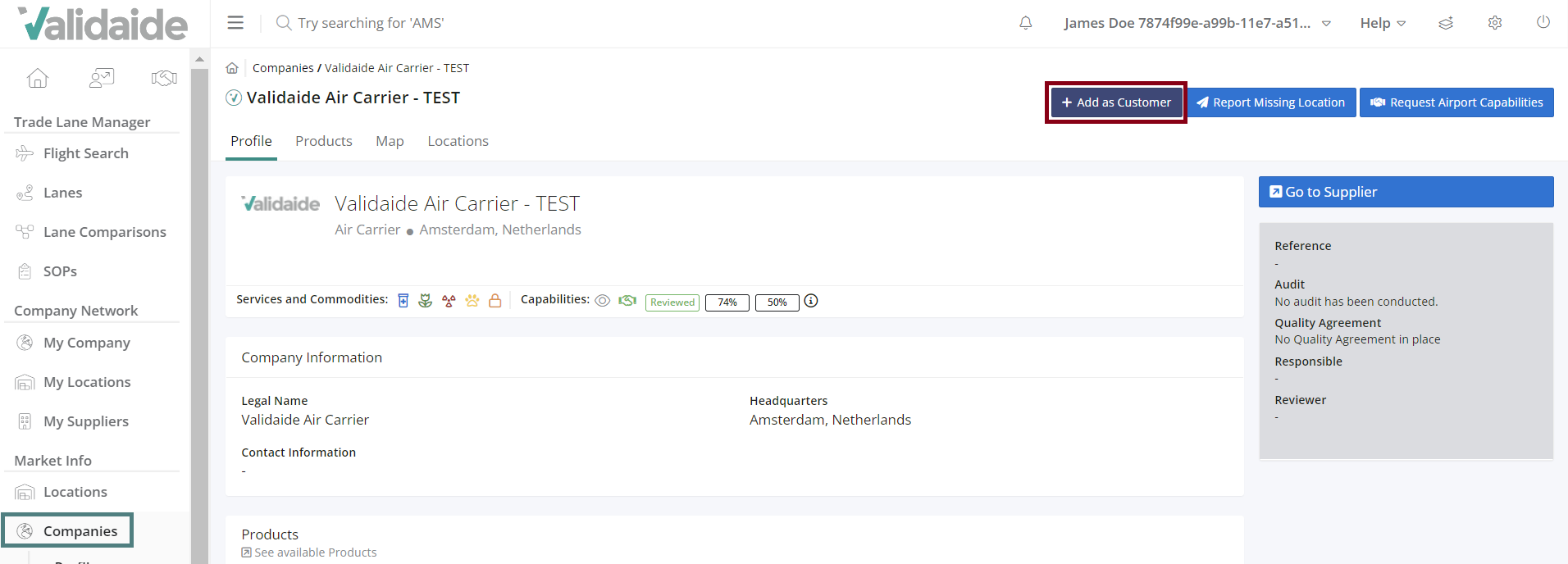
User is able to mark a company as customer under the ‘Market info – Companies’ – It is now possible to mark a company as a customer by navigating to the ‘Market info – Companies’ and selecting active or inactive company and clicking on ‘Add as a customer’ button. When adding a company as a customer the user must fill in the internal reference in the confirmation pop-up. It is possible to later adjust this information in the ‘Configuration tab’ (general information panel) or to add a comment. The internal reference and the comment will be shown on the profile (gray panel on the right). The maximum number of characters for comment is 512.
Bug Fixes
- When there is only one option for Location type (Air Carrier, WT, GHA Company) the type was not preselected, this has been resolved.
- Supplier Location Share request accepted - automatic email wrongly stated view is not yet available when it is, this has been resolved.
- ShareRequest requesting message could not support "smiley" in the message body, this has been resolved.
- Modify Origin/Destination Handling: Capabilities tab: quality index and security index were not shown for a location that has an accepted share request and is also publicly shared, this has been resolved.
- Lane Zip Exports threw an Exception, has been resolved.
- In the location profile, location map dialog, no matter where location is on the map, the same part of the map is displayed, mostly not including the location in question itself, has been resolved.
- In some instances the sharing request task did not disappear after sharing request is rejected, this has been resolved.
- For a lane, when the Responsible submits the lane for review, the approver(s) receive an email where the Responsible name was not correct, this has been resolved.
- Lanes cannot be accessed because allowed memory size had been exhausted, has been resolved.
- Supplier of type Air Carrier in the profile tab, panel Products icons were not displayed, has been resolved.
Comments
0 comments
Please sign in to leave a comment.