
Introduction
With our new incremental release, Release 4.1.0 we address some feature requests and issues identified by the Validaide team. This consists of new features and a few bug fixes.
1. Updated visualization of Temperature Exposure and Temperature Protection
2. Border Crossing in Road Steps
3. Other features
4. Bug fixes
1. Updated visualization of Temperature Exposure and Temperature Protection
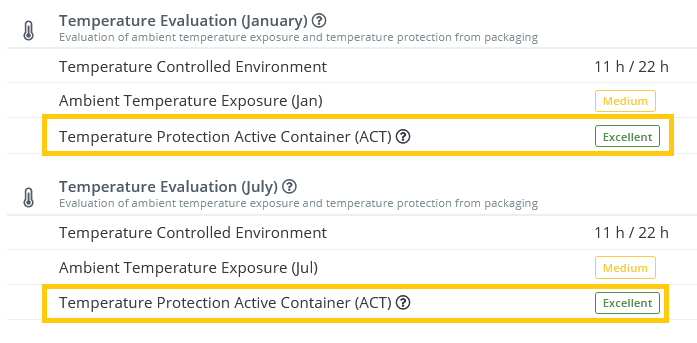
A temperature-sensitive product can be protected against temperature excursions with a temperature-controlled environment (e.g. truck or cold room), or with thermal packaging (e.g. active container), or with a combination of both. In case either one is in place, the temperature risk is minimal.
We now visualize this better in the Timeplan so Lanes look less "negative", particularly with high-end packaging such as active container.
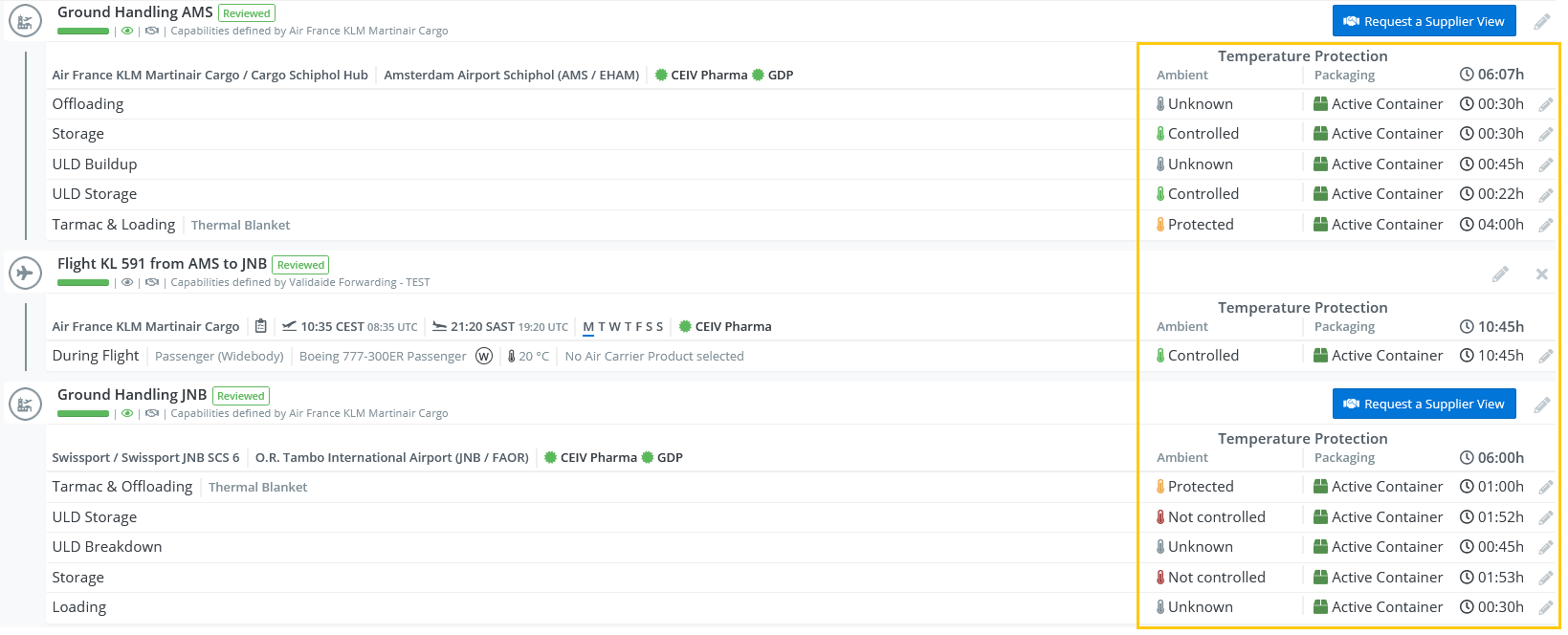
We also updated the visualization in the Lane Assessment to reflect this:
2. Border Crossings in Road Steps
When you are using road freight, you might cross country borders during the transport, which is considered an extra step and also has a specific duration.
This can be visualized in Validaide by adding a border crossing to the road step.

You are asked to set the countries where the border crossing takes place, as well as the duration of the step. Optionally you can also add a comment that will then be visualized in the process steps.
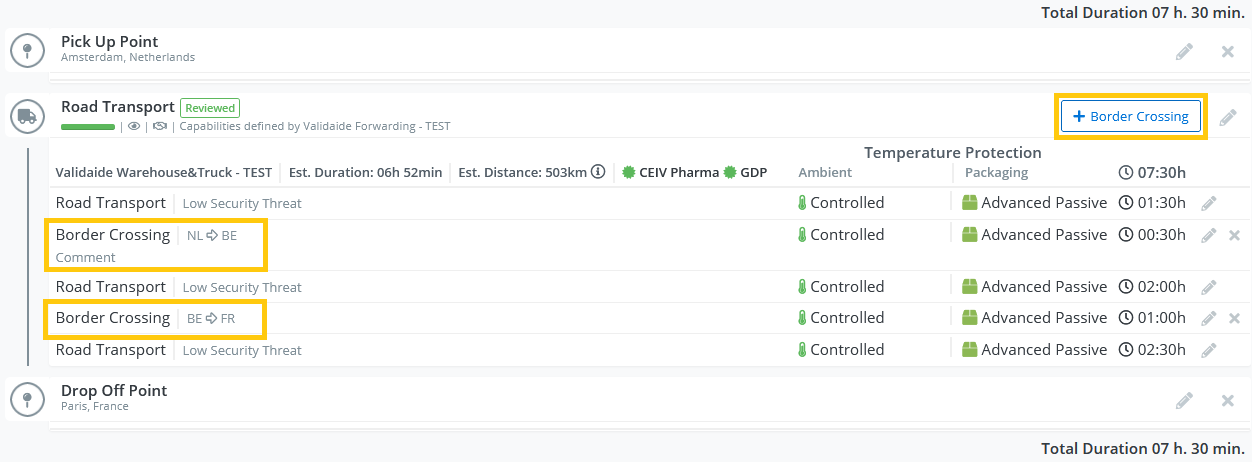
You can add multiple border crossings with different durations, and you can also set different durations for the road transport steps in between.
3. Other features
- Multiple Internal Contributors can edit a Lane or SOP
- Supplier Unique Identifier (UUID) in the Supplier Excel download
- Filter Locations in Market Info / Locations
- An authorized user can start and stop sharing an approved Lane or SOP
- Create an Empty Lane Comparison from the listing page
- See the Product Temperature in the Lane Listing when this is different from the Booked Temperature
4. Bug Fixes
- Location History was incorrectly showing inactive user - now fixed, inactive user is not shown
- When there was a Location with a relationship with many Locations, they were not truncated but shown in full width - now fixed, they are not shown in full width
- Clicking on a clickable table row did not always redirect - now fixed, redirects in all cases
For more information about this release you can contact us at support@validaide.com.
Comments
0 comments
Please sign in to leave a comment.