
Introduction
With Release 3.5.0 we introduce some exciting new features, as well as various bug fixes to Validaide:
- Road Freight enhancements
- Extended What's new section
- Additional improvements of the lane functionality
- Improvements of the network overview
- Several bug fixes
1. Road Freight enhancements
We have seen several challenges with the setup of road steps in Validaide that needed to be addressed.
In particular, in many cases we have seen that selecting one supplier as the road step provider was not realistic, therefore we made it possible to define Road Freight Capabilities of Locations and select multiple companies that supply to that location, then use it in a lane:
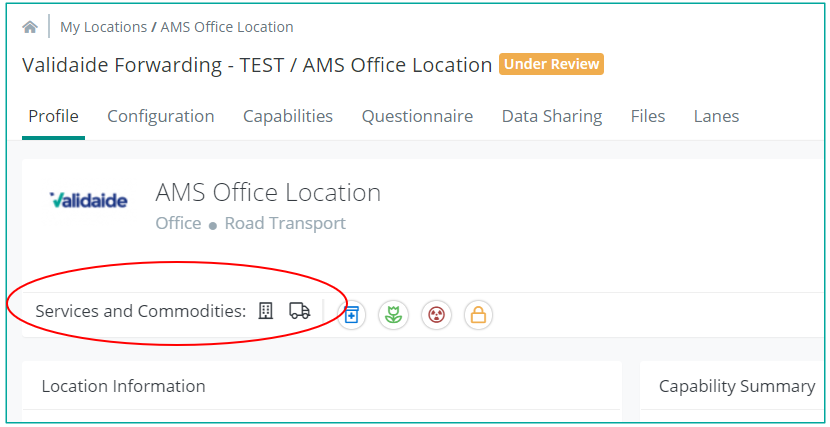
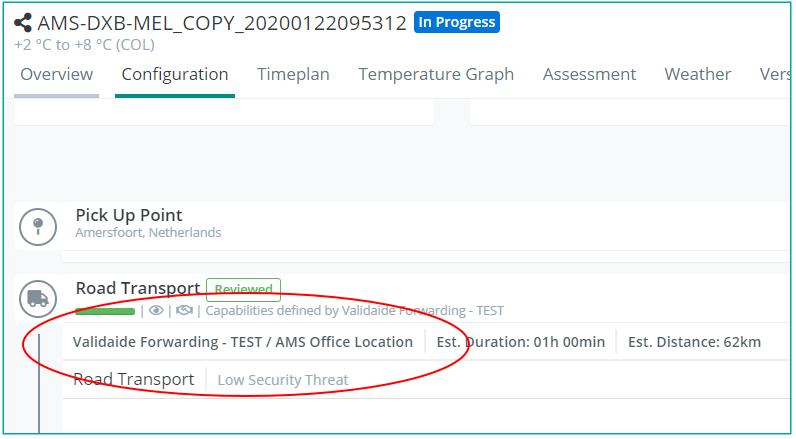
- Configure a Location as Road Provider
- Define subcontracted trucking companies
- Select a Location for Lane Road Steps
We also made improvements to the Booked Temperature for Road Steps in a Lane:
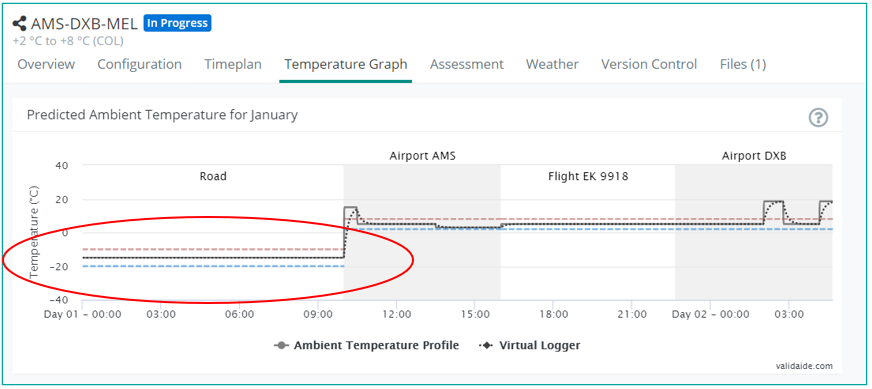
- Select a specific booked temperature for road steps that can be different from the rest of the lane
- Includes indication of FRO (-20) booking
And finally, we added the estimated duration and Google Maps visualization
- When origin and destination have known location we show Road Step in Google Maps
- Estimated duration and distance indicated
2. Extended What's new section
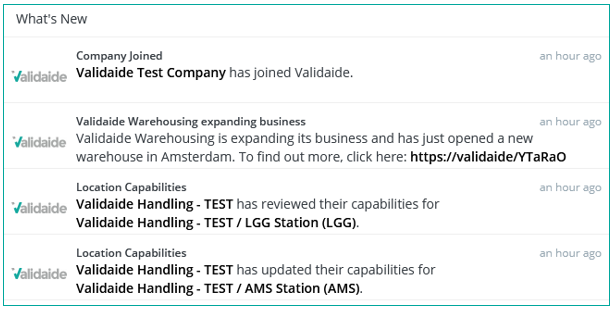
The What's New section provides valuable insight of what is going on in Validaide, which data providers are updating their capabilities.
We have further enhanced this with the information of which companies have recently joined the platform. This will help you to be informed if a company you invited joins the platform and also to reach out to new tenants.
Furthermore, we are now able to post relevant industry news here that can be interesting for everyone.
3. Additional improvements of the lane and SOP functionalities
- You can update the flight in a Flight step
- You can reject a Lane
- You can reject a Lane SOP
- You can see your company logo in the PDF downloads
4. Improvements of the network overview
- An authorized User can download a Network Capabilities ZIP file containing JSON Location files of your entire network
- You can see Standard Profile progress in My Locations and My Suppliers overview
5. Several bug fixes
1. A Lane Configuration page is no longer broken in a certain forwarder environment
2. The lanes where there was no transfer handling between two connecting flights have been fixed
3. Negative flight duration time does not appear anymore
4.Unable to find Validaide Airline based on FlightGlobal Airline with IATA: VK - has been fixed
5. Transfer handling duration is now calculated correctly
6. In the “What’s new” section the words “reviewed” and “updated” are not mixed up anymore
7. Lane Assessment PDF download layout has been fixed
8. Report missing <...> is not opening the form anymore when redirected into a new tab - has been fixed
9. Lane: Flight step: 0 °C for expected temperature during flight is breaking the Lane page - has been fixed
10. Lane: Road step: 0 °C for expected temperature inside the truck shows up as "No temperature" - has been fixed
11. A User is unable to remove a Lane due to a database inconsistency which is caused by an incorrect Lane Copy that is not copying the Flight data, but instead linking the Flight data - has been fixed
Comments
0 comments
Please sign in to leave a comment.