
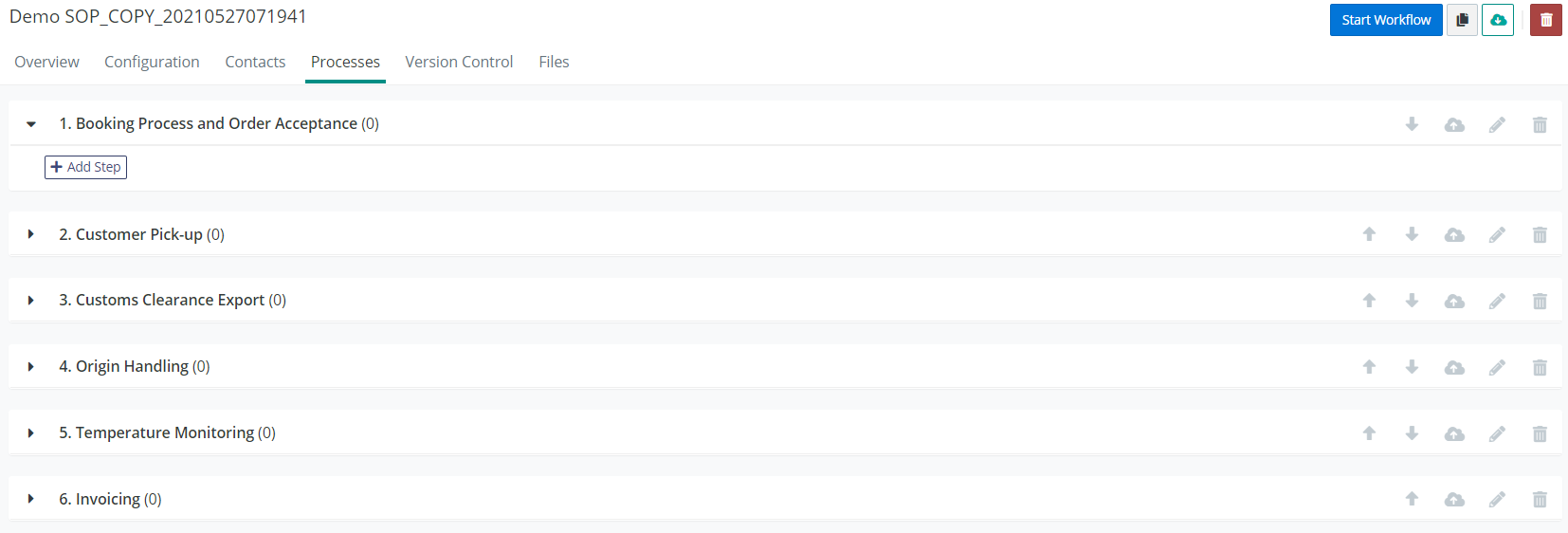
In the Processes tab you can edit the process groups and process steps.
If you have selected to use Validaide's default template, it is already filled in with the process groups, which can be easily customized.
You have the following options to edit Process Groups and Processes:
- Renaming: the groups can be renamed by clicking on the corresponding pencil icon
 ,
, - Removing: the processes can be moved by clicking on the trash can icon

- Image Upload: you can add images and files to the process with the upload icon:

- Change the order: you can move a Process up or down in the list with arrow icons:

More process groups can be added with the "Add Process Group" button  at the bottom of the page.
Within the process groups new process steps can be added if you click on the Add Process button  . Similarly to the process groups, the steps can also be modified or removed.
It is possible to add one or several tables in SOP process steps.
Comments
0 comments
Please sign in to leave a comment.