
You can select multiple flight codes of the same air carrier in one step to reduce the number of lanes to be created. This enhancement adds more flexibility and customization options when creating an air lane. This feature can be used only in the lanes screen and not in flight search. Whenever adding a flight step and pre-pending/appending a flight step.
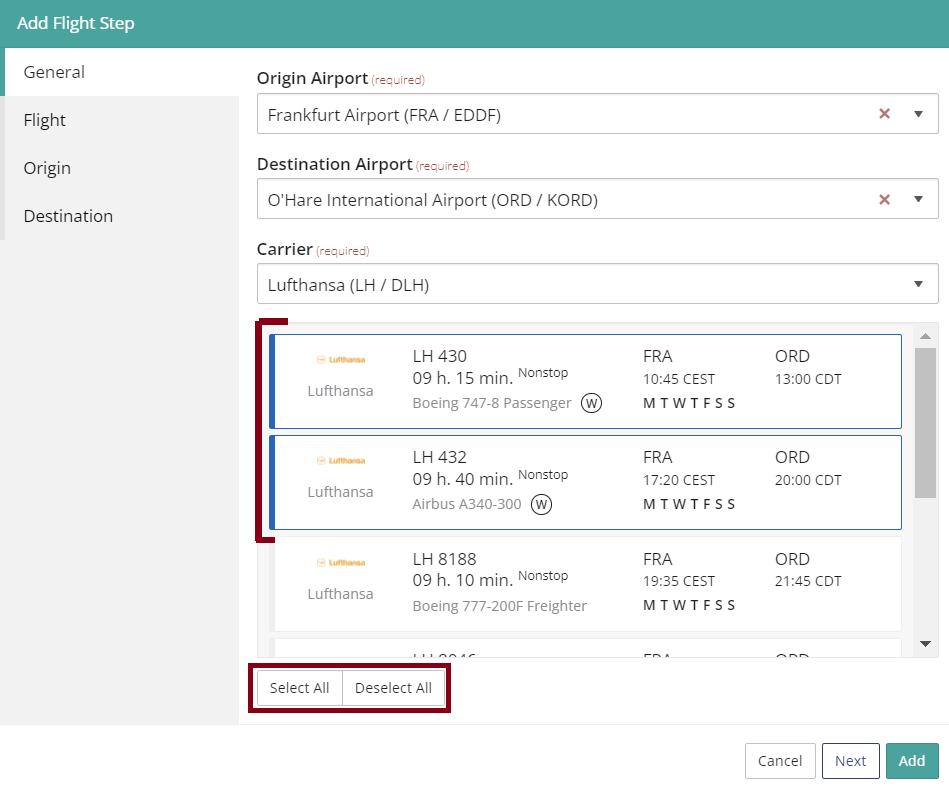
When the Origin, Destination and Carrier are filled in, the form shows possible flights. The user has to select at least one flight or multiple flight codes of the same Air carrier (passenger, freighter, RFS) with a maximum of 20 flight codes. A user can select all flight codes at once by clicking on ‘Select all’ and deselect one or many flight codes or all flight codes by clicking on ‘Deselect all”.
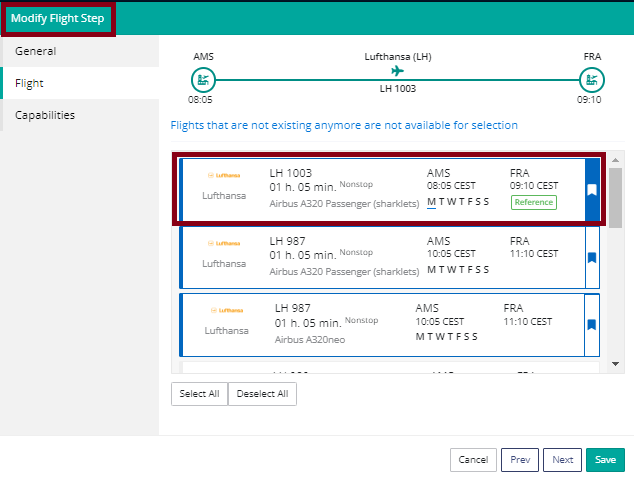
The first flight selected will be used in the lane assessment, temperature and timeplan graphs as a reference. Flight code result order is from earliest to latest.
Comments
0 comments
Please sign in to leave a comment.