
See and use the data you received from your supplier
When a supplier accepts your sharing request you receive an email notification. This means that you have access to their data, in case they have reviewed their capabilities internally.
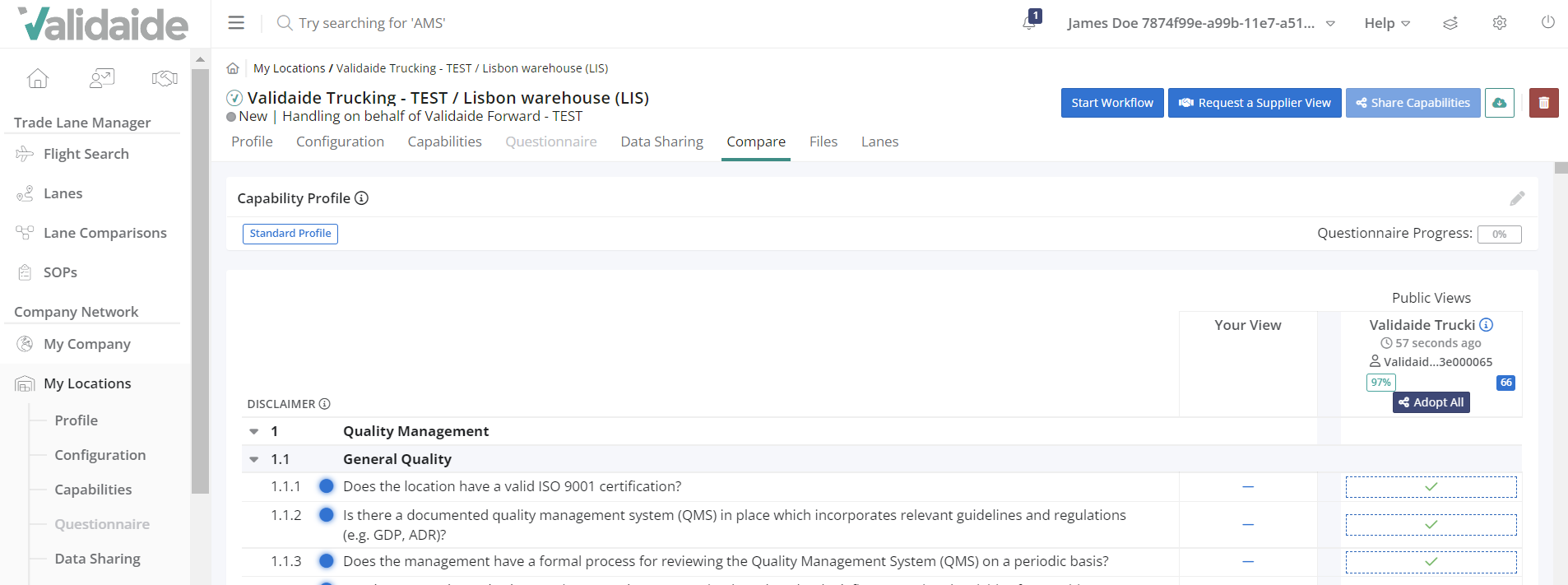
To see their answers to the questionnaire, go to the My Locations menu - click on the location name - click on the Compare tab. Here you can compare your own view to the supplier's view.
In case you need help with defining your own view, as a next step you can take the supplier's answers and fill in your own questionnaire with them. To take all the answers, just click on the  button.
 Please note that this will overwrite your already existing answers - if there are any.
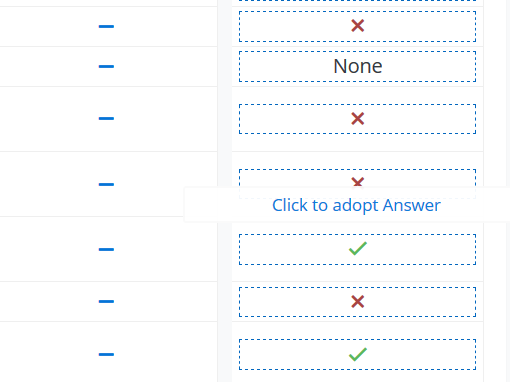
You can also take the answers one by one, by clicking on the supplier's answer in the blue dotted frame:
Please note: In case a GHA or Air Carrier has public sharing enabled, then you can see their Core Capabilities without having to send a sharing request.
When creating your own View, it is possible to adopt all answers from the Supplier and Supplier Locations that share their capabilities publicly. Adopt all button is now available if a company or location is sharing capabilities publicly, without sending a sharing request.
Comments
0 comments
Please sign in to leave a comment.